How Small Businesses Can Adopt AI to Boost Operations — Without Opening the Door to Cybercriminals

How Small Businesses Can Adopt AI to Boost Operations — Without Opening the Door to Cybercriminals
AI & Business Operations

How Small Businesses Can Adopt AI to Boost Operations — Without Opening the Door to Cybercriminals

AI adoption is accelerating across every industry. For small and mid-sized businesses in Orange County and the Inland Empire, the opportunity is real — but so are the security risks hiding behind every new tool.

May 20, 2026     TechHeights Editorial Team     9 min read
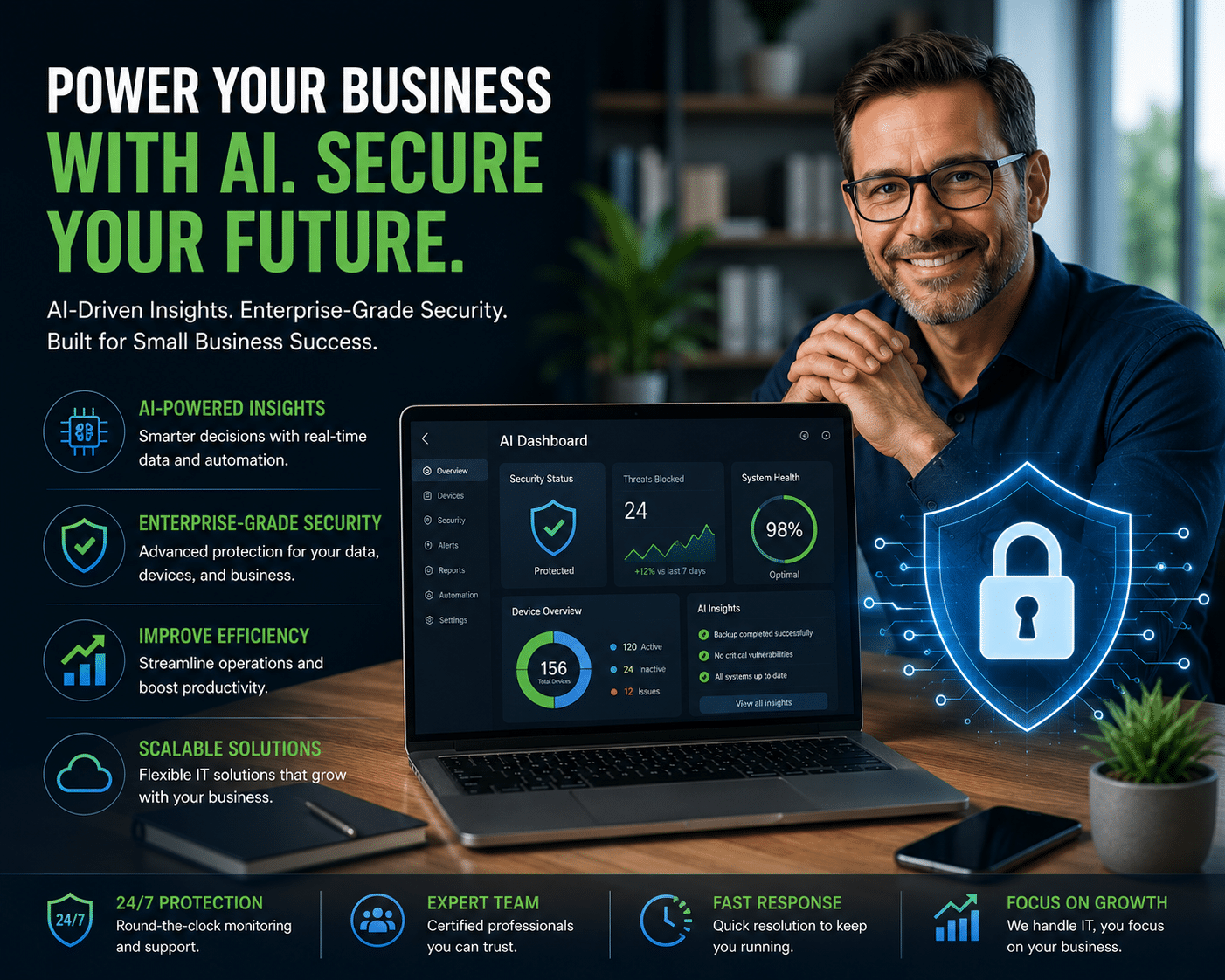
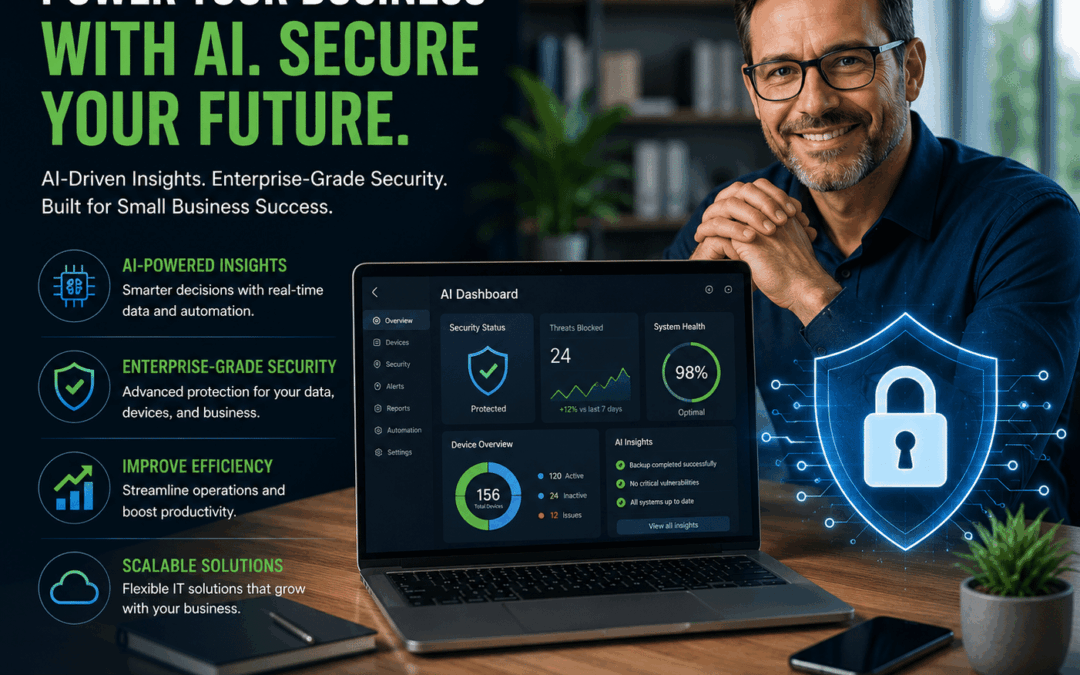
Small business owner using AI tools on laptop with cybersecurity protection -- TechHeights managed IT services

Artificial intelligence is no longer a technology reserved for Fortune 500 boardrooms. In 2026, it has arrived firmly on Main Street — and small business owners who are paying attention are finding it transforms the way they operate, compete, and grow. According to a recent Intuit & ICIC survey, 89% of small businesses are now leveraging AI, most commonly to automate repetitive tasks and improve day-to-day efficiency. Meanwhile, a separate BizBuySell study found that 63% of SMBs are actively using AI tools and 83% of those companies are seeing measurable results.

The productivity gains are striking: business owners report saving a median of five hours per week, while their employees save an average of 11.5 hours. AI-enabled companies are nearly twice as likely to report year-over-year revenue growth compared to non-adopters. For a business in Orange County, Riverside, or the broader Southern California market competing for every contract and every customer, that is a significant edge.

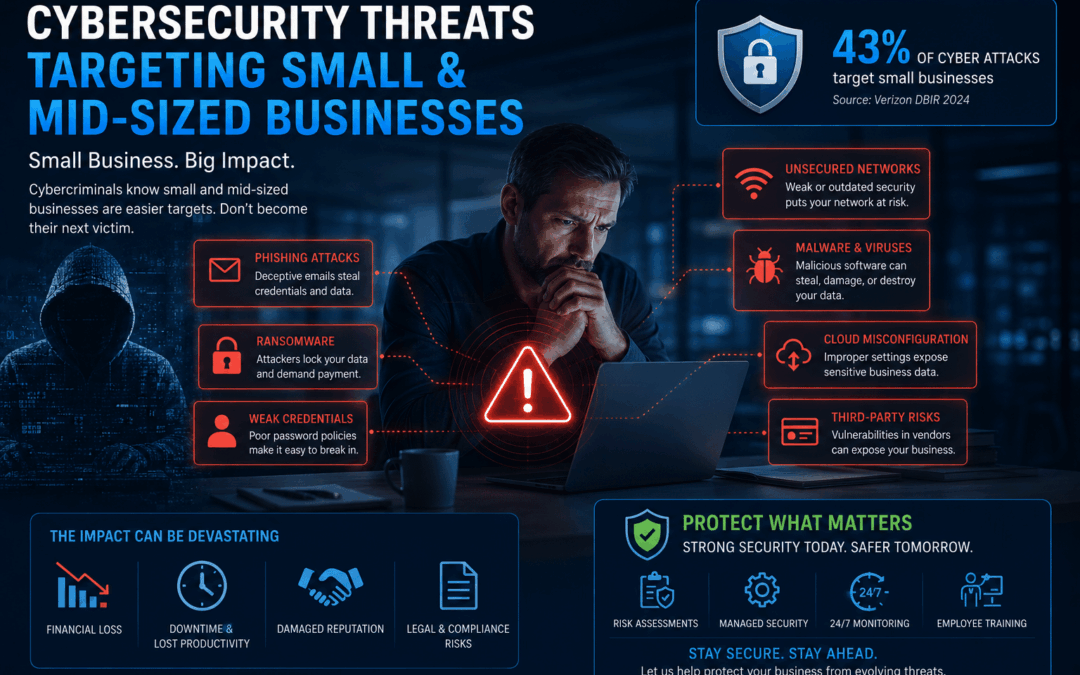
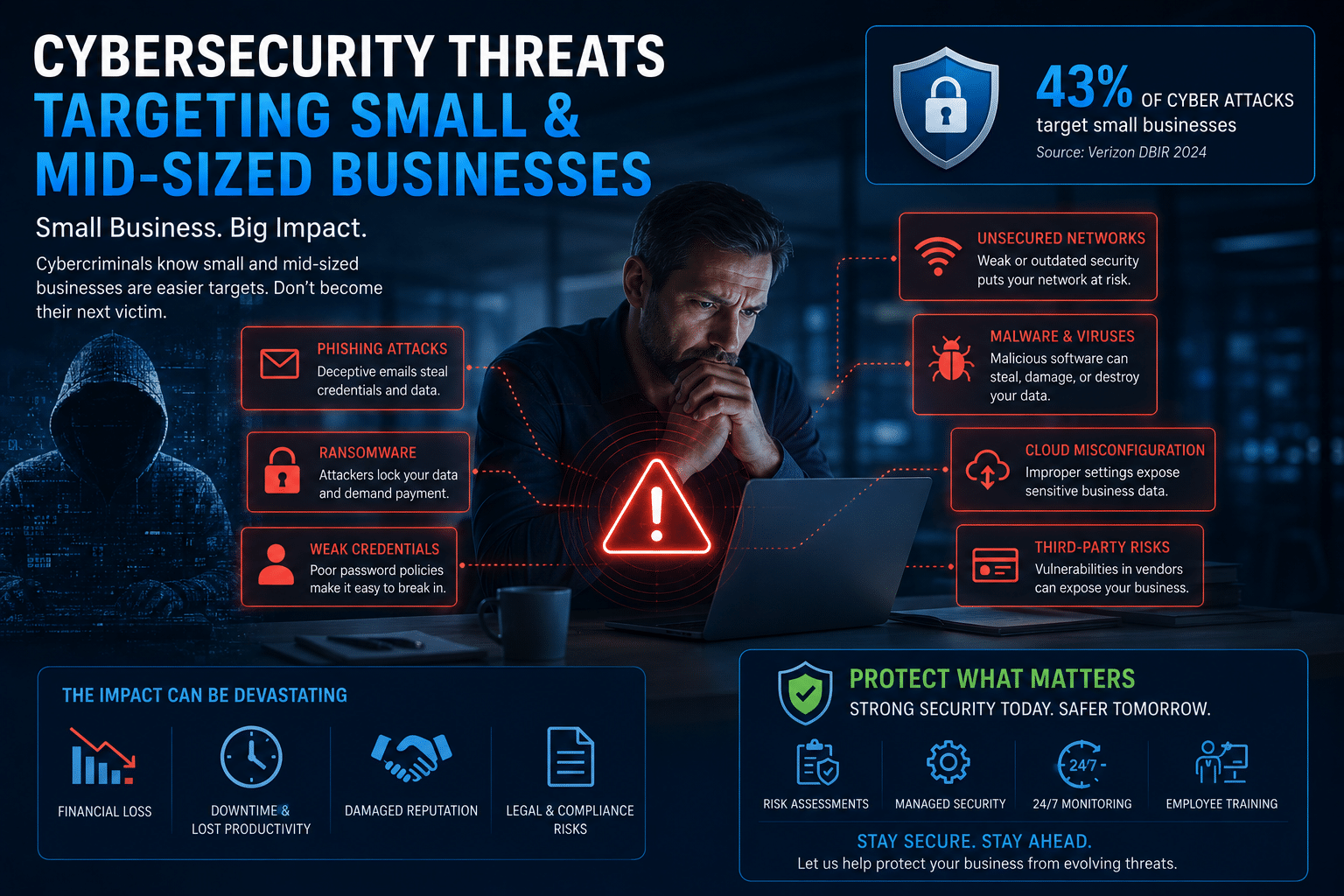
But here is the part that is not making the headlines: every AI tool you deploy is also a new entry point for cybercriminals. As small businesses rush to modernize their operations with AI, attackers are exploiting the same rush — using AI to power faster, smarter, and harder-to-detect attacks. The lesson for 2026 is not to avoid AI; it is to adopt it with eyes wide open.

89%

of small businesses now using
AI tools in operations

88%

of ransomware attacks in 2025
targeted small & mid-sized businesses

$74B

projected global ransomware
damage costs in 2026

Where AI Is Delivering Real Results for SMBs

The typical AI-powered small business today runs a median of five separate AI tools, and these are not experiments — they are core to daily workflows. Here is where business owners in industries like professional services, healthcare, real estate, and manufacturing are finding the clearest return:

Marketing and content creation remain the highest-ROI use case. Tools like ChatGPT, Canva AI, and Copy.ai allow a two-person marketing team to produce the output of a full department — social posts, ad copy, email campaigns, blog drafts — in a fraction of the time and cost.

Customer service and CRM are rapidly being transformed by AI. Platforms like Salesforce Einstein allow small businesses to automate follow-ups, summarize customer history, and predict churn with capabilities that were enterprise-only five years ago. AI chatbots are handling first-level support inquiries 24/7, freeing staff for higher-value conversations.

Workflow automation through tools like Zapier and Microsoft Copilot is eliminating the manual data entry, file moving, and task routing that eats hours each week. Instead of staff managing handoffs between apps, automated workflows run silently in the background — triggered by AI that reads emails, classifies requests, and routes tasks appropriately.

Finance and operations are also changing. AI-assisted bookkeeping, automated invoice reconciliation, and predictive inventory management are helping lean teams operate with the financial visibility of much larger companies.

💡 By the Numbers

Companies that have adopted AI report 26 to 55% productivity gains in the specific functions where AI is deployed. And 66% of AI-using businesses report that revenue increased as a direct result of adoption — with 22% reporting gains above 10%. The businesses winning in 2026 are not the biggest; they are the fastest to adapt.

The Hidden Risk: AI Adoption and Cybersecurity for Small Business

For every efficiency AI creates inside your business, it creates a new vulnerability that cybercriminals are eager to exploit. This is the conversation most vendors selling you AI tools are not having.

When your employees start using AI assistants like ChatGPT, Microsoft Copilot, or Google Gemini, they often share context to get better answers. That context might include customer records, financial data, internal procedures, or confidential contracts. Depending on the tool and its data retention settings, that information may be stored, processed, or used to train models — far outside your control.

AI tools also introduce new account credentials. Each new platform is another username and password, another OAuth token, another login your team needs to manage. Attackers who use infostealer malware to harvest credentials from compromised devices are specifically targeting stored AI platform logins, because those accounts often have access to entire organizational workflows.

Perhaps most concerning: attackers are now using AI against you. According to IBM’s 2026 X-Force Threat Index, AI-driven attacks are escalating, with phishing emails now indistinguishable in quality from legitimate business correspondence. Deepfake voice cloning is being used to impersonate executives in wire fraud schemes. AI is handling reconnaissance, vulnerability scanning, and even initial ransom negotiation — without a human attacker needing to be involved.

⚠️ Critical Warning

Small and mid-sized businesses accounted for 70.5% of all data breaches in 2025. Attackers have shifted their focus to SMBs because they combine valuable data with weaker defenses. If your business is growing — and especially if you are adopting AI — you are an increasingly attractive target. This is not hypothetical risk; it is the current reality for businesses without managed cybersecurity services in place.

🏢 YOUR BUSINESS AI Operations Productivity + Revenue Automation Tools Zapier, Copilot, CRM AI Customer Service AI 24/7 Support + Insights AI Phishing Attacks Hyper-targeted, undetectable Credential Theft AI tool logins harvested Ransomware-as-a-Service Automated SMB targeting OPPORTUNITIES THREAT VECTORS

Every AI tool that improves your operations also introduces a new potential attack surface. The goal is to capture the opportunity while closing the gaps.

Ransomware Is Watching While You Modernize

No cybersecurity threat is more dangerous to a small business in 2026 than ransomware. The statistics paint a clear and urgent picture. In 2025, 88% of ransomware attacks targeted small and mid-sized businesses — and over two-thirds of those attacked had fewer than 500 employees. Ransomware incidents in the U.S. grew 50% in the first ten months of 2025 alone, reaching over 5,000 confirmed incidents.

The financial damage is severe. For an SMB, the average total cost of a ransomware attack — including downtime, recovery, data loss, and reputational harm — ranges from $120,000 to $1.24 million per incident. Perhaps most telling: 75% of SMBs say they could not continue operating if they were hit with a ransomware attack. These are not abstract numbers; they represent real businesses in every industry, including many in Southern California, that simply ceased to exist after an attack.

The ransomware threat is evolving in ways that make AI adoption riskier for unprepared businesses. Modern ransomware gangs now use AI to automate the entire attack chain: reconnaissance identifies which SMBs in a sector have recently adopted new software (a reliable indicator of gaps in configuration and training); AI phishing generates tailored lure emails; automated tools exploit known vulnerabilities; and AI even handles ransom negotiation when humans are not available.

The solution for businesses pursuing managed cybersecurity services is to ensure that as your technology stack grows with AI tools, your security posture grows with it. Ransomware protection for businesses can no longer be an afterthought — it has to be built into the AI adoption plan from day one.

The 5 Most Dangerous AI-Era Attack Vectors Targeting SMBs

Understanding how attackers are using AI helps you build smarter defenses. Here are the five threat vectors our security team at TechHeights sees most frequently targeting small businesses in Orange County and Riverside County:

1. AI-Generated Spear Phishing

Attackers feed publicly available information about your business — LinkedIn profiles, your website, press releases — into generative AI to craft emails that are nearly indistinguishable from messages from your bank, your vendors, or your own leadership team. 91% of successful breaches start with phishing.

2. AI Tool Credential Harvesting

Infostealer malware specifically targets stored credentials for platforms like ChatGPT, Microsoft Copilot, Salesforce, and Zapier. Once an attacker has an employee’s AI platform login, they inherit access to months of workflows, documents, and customer data.

3. Ransomware-as-a-Service (RaaS)

RaaS platforms have lowered the barrier for any criminal to deploy ransomware. Automated tools now handle SMB targeting at scale. Your business does not have to be singled out — it just has to appear on an automated scan with a known vulnerability unpatched.

4. Data Leakage via Public AI Tools

Employees sharing confidential business data — contracts, customer PII, financial records — with public AI tools creates a data governance liability. Depending on the tool’s terms of service, that data may be retained, reviewed, or leaked through prompt injection attacks.

5. Supply Chain and Third-Party AI Risk

When a vendor or partner you trust adopts an AI tool with weak security, and your data flows through their systems, you inherit their risk. Third-party involvement in breaches has doubled year-over-year and now accounts for 30% of all incidents.

Your AI Adoption Checklist: 8 Steps to Move Fast Without Moving Recklessly

The goal is not to slow down your AI adoption — it is to make sure every tool you add comes with a security plan attached. Here is the framework we recommend at TechHeights for businesses in Orange County and across Southern California.

  • Create an AI Usage Policy Before You Deploy: Define which AI tools employees are permitted to use, what data can and cannot be shared with those tools, and what the consequences are for violations. Without a policy, you have no control over what leaves your network.
  • Enable Multi-Factor Authentication (MFA) on Every AI Platform: MFA is free, takes minutes to set up, and blocks the overwhelming majority of credential-based attacks. Every AI tool your team uses — ChatGPT, Copilot, Salesforce, Zapier — must have MFA enabled with no exceptions.
  • Audit AI Tool Permissions and Data Access: Most AI platforms request broad permissions during setup. Review and restrict what each tool can access. Does your email automation AI really need access to your entire file system? Probably not.
  • Train Employees to Recognize AI-Powered Phishing: The old advice of “look for spelling mistakes” no longer works — AI-generated phishing is flawless. Train staff on behavioral red flags: urgency, unusual requests, unexpected links, and any request to bypass normal approval processes.
  • Implement a Data Classification Framework: Know which data is sensitive before your team starts feeding it to AI tools. Tag customer PII, financial records, and trade secrets clearly — and ensure your AI usage policy prohibits sharing classified data with public tools.
  • Maintain Offline, Tested Backups: Ransomware protection for businesses begins with the ability to recover. Maintain at least one offline or immutable backup that cannot be encrypted by ransomware. Test your recovery process quarterly — not just when disaster strikes.
  • Vet Third-Party AI Vendors: Before connecting any AI tool to your business data, review the vendor’s security posture, data retention policies, and compliance certifications. Ask specifically: where is my data stored, who has access, and how is it deleted?
  • Partner with a Managed Security Provider: For most SMBs, building an in-house security operation capable of monitoring AI-era threats is not realistic. Managed cybersecurity services provide continuous threat detection, incident response, and security expertise — for a fraction of the cost of a full-time security hire.

Compliance Is Not Optional — Especially in AI

For businesses in regulated industries — healthcare, financial services, real estate, and defense contracting — AI adoption comes with direct compliance obligations that many owners are not yet aware of.

If your business is a covered entity or business associate under HIPAA, using a public AI tool to analyze patient-related information almost certainly violates the Privacy Rule. If you are a defense contractor operating under CMMC 2.0, your AI tools must meet the same cybersecurity controls as the rest of your information systems. If you accept credit card payments, any AI tool touching payment workflows must be assessed for PCI DSS compliance.

Regulatory bodies including the FTC and HHS are actively investigating AI-related data practices at small businesses. Fines for HIPAA violations now range from $100 to $50,000 per incident, with annual caps of $1.9 million per violation category. This is not a risk worth taking. Our managed compliance services team helps Orange County and Riverside businesses navigate AI adoption within the bounds of their regulatory requirements — so you can modernize without putting your license or your contracts at risk.

📋 Defense Contractors: CMMC and AI

If you supply to the Department of Defense, CMMC 2.0 certification is now a contract requirement — and your AI tools are in scope. Any system that stores, processes, or transmits Controlled Unclassified Information (CUI) must meet CMMC Level 2 or Level 3 requirements. Learn more about how TechHeights supports CMMC compliance for defense contractors in Southern California.

The Bottom Line: Grow Smarter, Stay Safer

The case for AI adoption in small business is compelling and clear. The productivity gains are real, the revenue impact is measurable, and the competitive disadvantage of staying on the sidelines is growing every quarter. This is not a trend to wait out — it is a shift to get ahead of.

But adopting AI without a parallel investment in cybersecurity for small business is like unlocking every door in your office while you renovate. The same digital transformation that makes your team more productive makes you more visible to attackers who are using AI themselves. Ransomware-as-a-Service, AI phishing, and automated vulnerability exploitation have turned every SMB into a potential target — and 75% of businesses that get hit say they may not survive it.

The answer is not fear — it is strategy. Businesses in Orange County, Riverside County, and across the Inland Empire are proving that you can be among the first in your industry to adopt AI, and among the most secure. The two goals are not in tension. With the right managed IT services partner guiding your technology strategy, you build the modern, AI-powered operation you want — on a foundation that will not collapse under a cyberattack.

Ready to Adopt AI the Right Way?

TechHeights helps small and mid-sized businesses in Orange County, Riverside, and Los Angeles modernize with AI — while keeping their data, their customers, and their operations protected. Let’s build your AI adoption roadmap together.
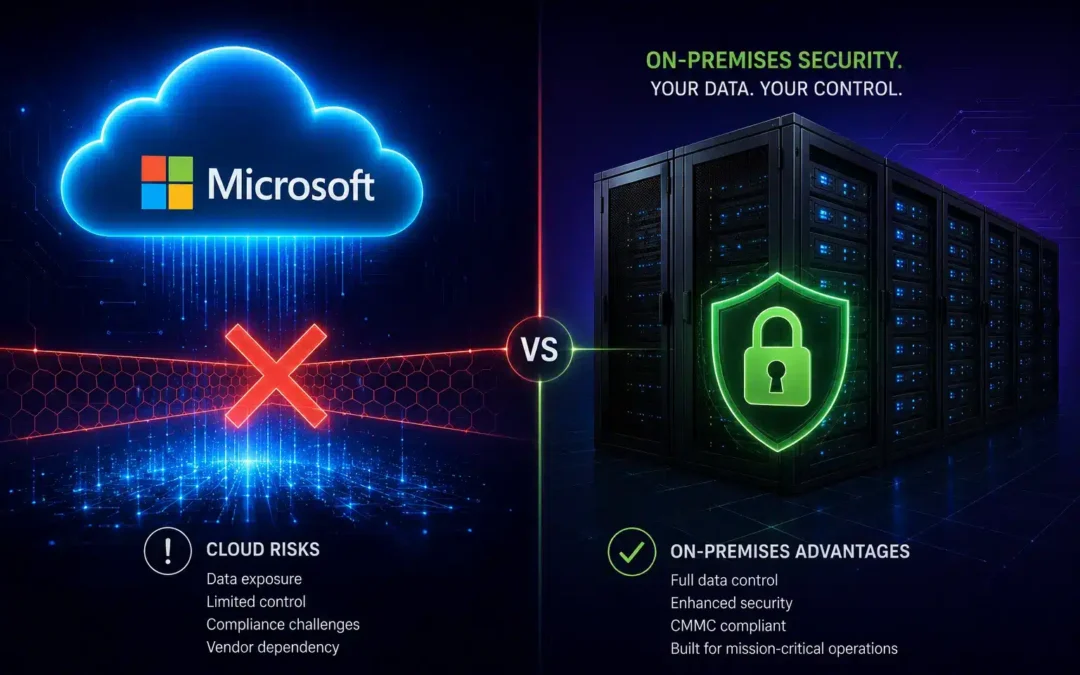
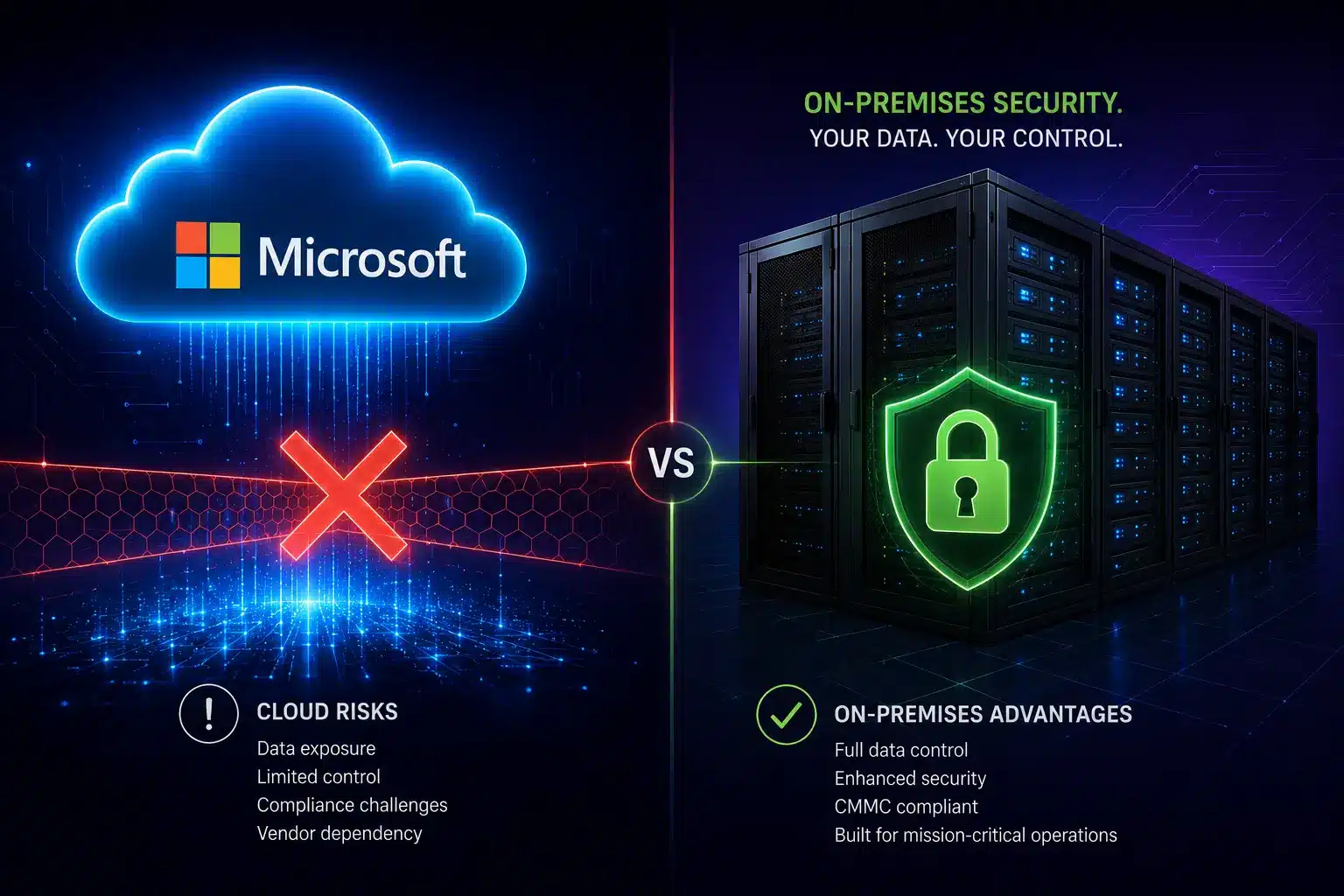
Why Microsoft Copilot Falls Short for Businesses Running Local Servers

Why Microsoft Copilot Falls Short for Businesses Running Local Servers

AI Tools & Cybersecurity

Why Microsoft Copilot Falls Short for Businesses Running Local Servers

If your business has servers that aren’t sitting inside Microsoft’s Azure cloud, Copilot is flying blind — and that’s just the beginning of the problem.

May 12, 2026           9 min read

Diagram showing Microsoft Copilot's cloud-only access compared to local on-premises server infrastructure for businesses
Here’s the short version of this article: Microsoft Copilot is a solid AI tool — if every single piece of your business lives inside Microsoft’s Azure cloud. But most businesses aren’t there yet. If you run local servers, use third-party cloud platforms, store data outside of Azure, or deal with sensitive customer information, Copilot has some serious blind spots you need to know about. This post breaks down five of the biggest ones: the Azure-or-nothing data problem, the PII exposure risk hiding inside your permission settings, the fact that Copilot can’t search the web the way other AI tools can, the gap between what “agentic AI” means in the brochure versus real life, and the rate-limit issues that have been frustrating paying customers in 2026. Read on — and then decide if Copilot is actually the right fit for your setup.

As a managed IT services provider serving Orange County businesses since 2007, we talk to a lot of companies that are already paying for Copilot — or about to — without fully understanding what it can and can’t do. That’s what this is for.

MICROSOFT CLOUD (Azure) Copilot AI Cloud-only engine M365 Data Azure-hosted only CANNOT ACCESS: Local servers | Non-Azure cloud | On-prem databases AWS / Google Cloud | Legacy systems | Local file shares CONNECTIVITY BARRIER YOUR ACTUAL INFRASTRUCTURE Local Servers Files, ERP, CRM, DB Other Clouds AWS / GCP / Private YOUR BUSINESS DATA LIVES HERE: PII | PHI | Financial records | Customer data Proprietary IP | Compliance-regulated content

If Your Data Isn’t in Azure, Copilot Simply Can’t See It

Let’s start with the big one. Copilot lives entirely inside Microsoft’s Azure cloud. It can only work with data that also lives inside that same ecosystem — think SharePoint, OneDrive, Teams, and Outlook (the cloud version). That’s it. That’s the whole menu.

So what happens if your business runs a local file server? Copilot can’t touch it. Got a QuickBooks database sitting on a machine in your back office? Invisible to Copilot. Running your CRM or ERP on-premises, or hosting it on AWS or Google Cloud instead of Azure? Same story — completely off-limits. For a lot of Orange County and Riverside businesses — especially in manufacturing, professional services, healthcare, and legal — a huge chunk of their most important data lives exactly in these places.

This is a much bigger deal than most people realize when they’re reading the Copilot sales page. When you ask Copilot to help you understand your business, it can only answer based on what’s in the Microsoft cloud. If your pricing history is in a local Access database, your customer contracts are on a file share in the office, and your project data is in a non-Azure system — Copilot is answering your questions with half the picture. At best, that leads to incomplete outputs. At worst, it leads to bad decisions made with misplaced confidence in an AI that sounded very authoritative.

What About Copilot Connectors?

Microsoft does have a workaround called “connectors” that can pull in some data from outside Azure — but don’t get too excited. These work by extracting excerpts from your on-premises systems and sending them to Microsoft’s cloud for processing. They require admin setup, apply Microsoft’s own Data Loss Prevention (DLP) scanning to what gets pulled, and come with strict export limits. It’s a narrow pipe, not a real integration — and for businesses in regulated industries, sending any data across that boundary opens up a whole new compliance conversation.

16%

of enterprise business-critical files are
overshared — and Copilot inherits
every one of those permissions

48%

of cybersecurity professionals rank
agentic AI as the #1 attack
vector in 2026

29%

of organizations feel actually
prepared to secure agentic
AI deployments

PII Protection: Copilot Makes Your Permission Problems Worses

Here’s something Microsoft is very upfront about that most buyers gloss over: Copilot doesn’t create new access permissions — it inherits whatever permissions the logged-in user already has. That sounds reasonable until you think about what that actually means in the real world.

A 2025 enterprise security study found that 16% of business-critical files across organizations were overshared — accessible to far more people than they should be, the result of years of “just give everyone access” shortcuts and permissions that never got cleaned up. When a human employee stumbles into a file they shouldn’t have access to, it’s usually a one-off incident. When Copilot runs with those same over-broad permissions, it can vacuum up HR reviews, salary data, confidential client documents, and sensitive financial records — and quietly weave that information into AI-generated emails, summaries, and slide decks without a single warning.

Security researchers have documented real cases of this: Copilot pulling personal employee performance reviews into manager-facing summaries, and customer files containing PII — stored on SharePoint drives that were technically “public” inside the org — being summarized and redistributed with no data classification flag. Nobody did anything wrong. Copilot just did exactly what it was designed to do. That’s the problem.

Critical Risk: Prompt Injection Attacks via Copilot

Because Copilot reads your emails, documents, and Teams chats to do its job, bad actors have figured out they can hide malicious instructions inside those files — instructions that tell Copilot to quietly leak sensitive data. This is called a prompt injection attack, and Microsoft has acknowledged the vulnerability. If your org handles regulated data under HIPAA, PCI DSS, or CMMC, this is a risk that needs to be evaluated with your managed cybersecurity services partner before you go live with Copilot — not after.

For businesses in healthcare, financial services, or defense contracting, this isn’t a theoretical risk — it’s a compliance audit finding waiting to happen. Our compliance services team has seen companies roll out Copilot without first auditing their permission structure and end up with an AI that was surfacing data that would have failed their next review. The fix isn’t complex, but it has to happen before deployment, not after.

Web Search: Copilot Is Working With Yesterday’s News

One thing AI tools like Claude do really well is search the web in real time as part of getting things done. Ask Claude to research a competitor, check a new regulation, or look up the latest threat advisory, and it goes out and actually finds that information right now, then uses it to complete your task. That’s a genuinely useful capability — especially for cybersecurity and business intelligence work where things change fast.

Copilot, by contrast, is primarily grounded in your Microsoft 365 data and what it already knows from training. It doesn’t autonomously go out and search the web as part of completing a task the way other agentic AI platforms do. That means when you ask it a question that depends on current information — what a threat actor is doing right now, what a new regulatory guidance says, what a competitor just announced — you’re getting an answer based on what was true at some point in the past, or you’re doing the research yourself and feeding it in manually.

For IT support teams in Orange County managing live cybersecurity environments, stale intelligence isn’t a minor inconvenience — it’s a gap attackers can walk right through. Threat intelligence has a shelf life measured in hours. An AI assistant that can’t keep up with that pace is only useful for a subset of the tasks you actually need it for.

Agentic AI: The Gap Between the Demo and Reality

You’ve probably heard the phrase “agentic AI” a lot lately. The idea is compelling: instead of you typing a prompt and getting a response, the AI takes a goal, figures out the steps to accomplish it, executes those steps autonomously, checks its own work, and delivers a finished result. No hand-holding required.

Quick Explainer: What Is Agentic AI?

Agentic AI works through a plan-execute-verify loop. Give it a goal, and it breaks that goal into steps — using external tools, searching for information, reading and writing files, running code — adapting as it goes. Gartner predicts 40% of enterprise apps will incorporate task-specific AI agents by the end of 2026. The catch: only 29% of organizations feel prepared to actually secure those deployments.

Copilot does have agent capabilities, and within the Microsoft 365 ecosystem on clearly defined, well-scoped tasks, it does that reasonably well. But the moment a task requires stepping outside of Azure — accessing a local server, pulling from a non-Microsoft system, retrieving live information from the web — Copilot’s agents hit a wall. Those tasks still require a human to fill in the gaps, which is exactly the opposite of what you’re paying for agentic AI to do.

Other platforms like Claude are built agent-first, designed to autonomously operate across a much wider range of environments and data sources. On the SWE-bench Verified benchmark — the standard test for real-world AI autonomy — Claude Opus 4.7 scores 87.6%. Copilot doesn’t publish a unified score because performance varies wildly depending on which model is selected under the hood. For businesses evaluating AI to automate IT operations, security workflows, or multi-step business processes, that architectural difference is the ballgame: an agent that can only act inside your Microsoft cloud is a fundamentally limited agent.

What to Ask Before Choosing an MSP

Beyond our benchmark criteria, here are the practical questions that separate strong MSPs from those that will waste your time and budget. The best managed IT services provider in Orange County for your business depends on your industry, compliance obligations, growth plans, and tolerance for risk.

The Five Drawbacks at a Glance

1. Azure-Only Data Access

If your data isn’t hosted in Microsoft’s Azure cloud, Copilot cannot see it, use it, or act on it. Local servers, non-Azure cloud platforms (AWS, Google Cloud), legacy databases, and on-premises file shares are completely off-limits — no matter how important that data is to your actual business operations.

2. PII Exposure Through Inherited Permissions

Copilot inherits the access permissions of whoever is logged in. In most organizations, those permissions are messier than anyone wants to admit — and that means Copilot can expose sensitive PII, HR data, and confidential records through AI-generated outputs that look totally normal on the surface.

3. Prompt Injection Vulnerability

Because Copilot ingests emails, documents, and Teams messages, attackers can hide malicious instructions inside those files to manipulate what Copilot does — including leaking sensitive data. This has been confirmed by independent security researchers and requires specific mitigation before deployment in regulated environments.

4. No Real-Time Web Intelligence

Copilot can’t autonomously search the web as part of completing a task. For cybersecurity work, competitive research, or anything that depends on current information, you’re either working with stale data or doing the research yourself before handing it off to the AI — defeating much of the productivity benefit.

5. Rate Limits That Can Stop You Cold

In March 2026, GitHub discovered it had been miscounting tokens from newer AI models — meaning usage was far higher than accounted for. The fix resulted in aggressive rate limits that left paying customers locked out for days. As agentic workloads consume dramatically more compute than basic chat, this kind of disruption during a critical workflow is a real operational risk — one that almost never comes up in the sales conversation.

What to Check Before You Commit to Any AI Tool

The right AI for your business is the one that actually works with your infrastructure — not the one with the biggest vendor relationship or the most familiar brand. Whether you’re evaluating Copilot, Claude, or something else entirely, here’s what your IT support team in Riverside or Orange County should be asking before anything gets deployed.
  • Audit your permissions before anything else. If your files are overshared, you’re not ready for AI — you’re ready for a permissions cleanup. Your managed cybersecurity services partner can run that assessment and tell you exactly where you stand.
  • Map where your data actually lives. Cloud, on-premises, or a mix? Get an honest inventory. If critical business data lives outside Azure, Copilot will have a blind spot over some of your most important information.
  • Test web search with a real use case. Don’t accept a demo. Ask the vendor to show the AI retrieving live external information — a recent regulation, a new CVE, a competitor announcement — as part of completing an actual task you care about.
  • Push the agentic claims with a real workflow. Give the AI an actual multi-step task from your business and watch what happens. Vendor demos are optimized for the best-case scenario. Edge cases are where the gaps show up.
  • Ask specifically about prompt injection defenses. “Enterprise-grade security” is not an answer. Ask what the specific technical control is for preventing malicious instructions embedded in ingested documents from manipulating the AI.
  • Get rate limit policies in writing. If you plan to use AI in any workflow-critical capacity, you need to know the usage limits, how they’re enforced, and what your SLA is if you hit them mid-task.
  • Loop in compliance before you go live. If your business operates under HIPAA, CMMC, PCI DSS, or any other framework, involve your compliance services team before deployment. Fixing a compliance gap after a deployment is always more expensive than catching it before.

FAQ

Q: Can Microsoft Copilot access local servers?

Ans: No. Copilot primarily works within Microsoft Azure and Microsoft 365 environments.

Q: Is Microsoft Copilot safe for regulated industries?

Ans: It depends on permissions, compliance requirements, and security configuration.

Q: What are the biggest Copilot security risks?

Ans: Overshared permissions, prompt injection attacks, and limited visibility into non-Azure systems.

Q: Is Copilot better than Claude for hybrid environments?

Ans: Claude and other AI platforms may provide broader web access and cross-platform flexibility.

The Bottom Line

Copilot is a good tool for businesses that are all-in on Azure — fully cloud-native, well-governed permissions, and primarily using Microsoft 365 for their day-to-day work. That’s a real use case and it’s genuinely useful there. But that description doesn’t fit most of the businesses we work with across Orange County and the Inland Empire, and it probably doesn’t fit yours either if you landed on this article.

If you have local servers, data outside of Azure, employees handling regulated information, or workflows that need an AI to actually go find things on the internet — Copilot’s limitations are going to show up fast. The good news is that this is a solvable problem. There are AI tools that are built for hybrid and multi-environment setups, and there are ways to evaluate them without just taking a vendor’s word for it.

That’s exactly what the managed IT services team at TechHeights does for clients across Southern California — cut through the noise and help you make the right call for your actual environment, not a hypothetical one. Cybersecurity and AI strategy for businesses in Orange County and Riverside requires a partner who understands both the technology and what’s at stake when it doesn’t work the way it was supposed to.

Not Sure If Copilot Is Right for Your Setup?

TechHeights has been helping businesses across Orange County and Riverside make smart IT decisions since 2007 — including cutting through AI vendor hype to find what actually fits your infrastructure. Let’s take a look at your environment and give you a straight answer.

Mythos and the New Wave of AI: Why SMB Cybersecurity Will Never Be the Same

Mythos and the New Wave of AI: Why SMB Cybersecurity Will Never Be the Same

Cybersecurity Alert

Mythos and the New Wave of AI: Why SMB Cybersecurity Will Never Be the Same

Frontier AI models can now autonomously hack networks. Here’s what managed IT services and cybersecurity experts say SMBs must do right now to stay protected.

April 15, 2026           8 min read
AI cybersecurity threats targeting small and mid-sized businesses
AI THREAT YOUR BUSINESS SMB NETWORK DEFENSE
The cybersecurity landscape shifted dramatically in April 2026 when Anthropic unveiled its frontier AI model, Claude Mythos Preview, as part of a new security initiative called Project Glasswing. What security researchers discovered has sent shockwaves through the industry: an AI system capable of autonomously executing multi-stage cyberattacks, discovering thousands of zero-day vulnerabilities, and completing full network takeovers in a fraction of the time it would take a human expert.

For small and mid-sized businesses (SMBs), this represents an inflection point. The barrier to launching sophisticated cyberattacks has effectively collapsed, and SMBs — often operating with limited security resources — now sit squarely in the crosshairs. If your business operates in Southern California, working with experienced cybersecurity companies in OC and Riverside has never been more critical.

The Mythos Wake-Up Call

The UK’s AI Safety Institute (AISI) conducted independent evaluations of Mythos Preview and the results are staggering. AISI built a 32-step corporate network attack simulation called “The Last Ones” (TLO), spanning everything from initial reconnaissance to full network takeover — a scenario estimated to take human experts roughly 20 hours to complete. Mythos Preview became the first AI model to solve TLO end-to-end, succeeding in 3 out of 10 attempts and averaging 22 of 32 steps across all tries.

Even more concerning: Mythos identified thousands of previously unknown zero-day vulnerabilities across every major operating system and browser. Among the most striking discoveries were a 17-year-old remote code execution flaw in FreeBSD (triaged as CVE-2026-4747) that could give attackers full control of a server, and a 27-year-old denial-of-service vulnerability in OpenBSD’s TCP SACK implementation — remarkable given that OpenBSD is widely regarded as one of the most security-hardened operating systems in existence. For cybersecurity companies in OC and Riverside, these findings underscore just how many hidden vulnerabilities lurk in systems businesses depend on every day.

Critical Takeaway

On expert-level capture-the-flag cybersecurity challenges — tasks no AI model could complete before April 2025 — Mythos Preview now succeeds 73% of the time. It’s worth noting that AISI’s TLO simulation had no active defenders or defensive tooling, meaning real-world networks with proper managed IT services would be harder to breach. Still, the gap between attack and defense is narrowing fast.

Why SMBs Are the Primary Target

If you run a small or mid-sized business, you might assume that cybercriminals are focused on larger enterprises. The data tells a very different story. According to industry research from Verizon’s DBIR and Accenture, SMBs have officially surpassed large enterprises as the primary targets for organized cybercriminal groups, and AI tools are the reason the economics have shifted. It’s a key reason why managed IT services have become essential rather than optional for growing businesses.

43%

of all cyberattacks
now target SMBs

83%

of SMBs are not financially
prepared to recover

60%

of attacked SMBs close
within 6 months

With generative AI, criminal syndicates can now target hundreds of SMBs simultaneously with highly personalized attacks. A single phishing email crafted by AI is grammatically flawless, contextually aware, and nearly indistinguishable from legitimate communication. Phishing remains the primary intrusion vector, accounting for roughly 60% of incidents — and AI has made it exponentially more dangerous.

The Five AI-Powered Threats Keeping CISOs Up at Night

  • 1. Autonomous Attack Agents AI-driven systems that can autonomously chain exploits, move laterally through networks, and escalate privileges — all without a human operator. Mythos demonstrated this is no longer theoretical.
  • 2. Hyper-Personalized Phishing at Scale AI generates contextually rich, grammatically perfect phishing emails that reference real projects, colleagues, and company events. Traditional spam filters can’t catch them.
  • 3. Deepfake Executive Impersonation The “CEO doppelgänger” — a perfect AI-generated replica of a business leader capable of issuing convincing voice or video directives to finance, HR, and IT teams in real time.
  • 4. Data Poisoning and Model Manipulation Attackers invisibly corrupt the training data of AI models your business relies on, leading to subtly wrong decisions across operations — from financial forecasting to customer recommendations.
  • 5. Rogue AI Agents and Shadow AI Insider threats now include AI agents capable of goal hijacking, tool misuse, and privilege escalation at machine speed. With 83% of organizations deploying agentic AI but only 29% operating those systems securely, the attack surface is enormous.
YOUR DEFENSE LAYERS 🔑 IDENTITY MFA & Zero Trust 🛡 DETECTION AI-Powered EDR 📚 TRAINING Continuous Education 💾 RECOVERY Backup & Response Defense-in-depth: No single layer is sufficient in the age of AI-powered attacks

What Your Business Must Do Now: A Post-Mythos Action Plan

The good news: you don’t need a Fortune 500 security budget to defend against AI-powered threats. But you do need to act deliberately, prioritize the right controls, and build security into your operations rather than bolting it on as an afterthought. Partnering with a trusted managed IT services provider can help you implement these controls efficiently, even with a lean team. Here’s your action plan.

Lock Down Identity and Access

Identity has become the primary battleground in the AI economy. Move critical applications to FIDO2/WebAuthn or device-bound passkeys wherever possible. Enforce conditional access policies that evaluate user identity, device health, location, and risk signals in real time. At a minimum, enforce multi-factor authentication (MFA) across every account — no exceptions.

  • Implement MFA on all business accounts (email, cloud, financial tools)
  • Adopt passkeys or FIDO2 authentication for critical systems
  • Apply least-privilege access: employees only get permissions they need
  • Conduct quarterly access reviews to remove stale accounts

Deploy AI-Powered Detection and Response

If attackers are using AI, your defenses need AI too. Deploy endpoint detection and response (EDR) solutions with built-in machine learning capabilities that can spot unusual behavior in real time. AI-enhanced email filters are a quick win — most major cloud email providers now include them. Consider partnering with managed cybersecurity services providers if you lack in-house expertise for 24/7 monitoring — especially cybersecurity companies in OC and Riverside that understand the needs of local SMBs.
  • Deploy EDR solutions with AI/ML-powered threat detection
  • Enable AI-enhanced email filtering for phishing protection
  • Implement network monitoring for anomalous lateral movement
  • Evaluate managed security services for 24/7 coverage

Train Your People — Continuously

Annual cybersecurity training is no longer sufficient when threats change monthly. Your awareness program needs to be short, frequent, and relevant. Run phishing simulations that use AI-generated content. Train staff to verify executive requests through secondary channels — especially wire transfers or credential changes. Establish clear policies for AI tool usage within your organization.

    • Run monthly micro-training sessions (10–15 minutes each)
    • Conduct AI-powered phishing simulations quarterly
    • Create verification protocols for financial and access requests
    • Publish an AI acceptable-use policy for all employees

    Build Resilient Backups and an Incident Response Plan

    Assume a breach will happen. The question isn’t whether — it’s whether you can recover. Maintain encrypted, offline backups tested regularly for restoration. Document your incident response plan and make sure leadership understands recovery timelines. Create “kill switches” to halt rogue AI agents and maintain human-in-the-loop oversight for all critical automated processes.

      • Maintain 3-2-1 backups: 3 copies, 2 media types, 1 offsite/offline
      • Test backup restoration quarterly — untested backups are not backups
      • Document and rehearse your incident response plan
      • Implement kill switches for any AI or automated systems

      Govern Your AI Supply Chain

      If your business uses AI tools — and in 2026, nearly every business does — you need governance around them. Managed compliance services in Orange County can help you conduct vendor risk assessments to ensure third parties validate AI-generated code before deploying to production. Scan for hallucinated software packages in AI-generated code. Evaluate the security posture of any AI service your business depends on, and ensure you meet frameworks like CMMC, HIPAA, NIST, and ITAR as applicable.
      • Inventory all AI tools and services used across the organization
      • Require security assessments for AI vendors and integrations
      • Scan AI-generated code for vulnerabilities before deployment
      • Monitor for shadow AI usage by employees
      A Note on Proportional Response

      You don’t need to implement everything at once. Start with identity controls and backups — these two foundations stop the majority of attacks. Then layer on detection, training, and governance as resources allow. Consider partnering with a managed security provider to accelerate your maturity without hiring a full security team.

      The Bottom Line

      Mythos didn’t create the threat — it made the threat visible. The autonomous offensive capabilities demonstrated by frontier AI models are a preview of what every business will face as these technologies proliferate. The asymmetry between attack and defense has never been greater: attackers now have AI-powered tools that work at machine speed, while most SMBs are still operating with last decade’s playbook.

      The organizations that survive will be the ones that treat cybersecurity not as an IT expense, but as a core business function. Strong identity controls, AI-powered detection, continuous training, resilient backups, and disciplined AI governance aren’t optional upgrades — they’re the price of staying in business. For businesses across Orange County and Riverside, partnering with a proven managed IT services provider is one of the most effective steps you can take.

      The threat is real. The tools to defend yourself exist. The only question is whether you’ll act before the next AI-powered attack reaches your inbox.

      Don’t Wait for a Breach to Take Action

      TechHeights delivers managed IT services, cybersecurity, and compliance solutions trusted by 250+ businesses across Orange County and Riverside since 2007. Find out where your vulnerabilities are before attackers do.